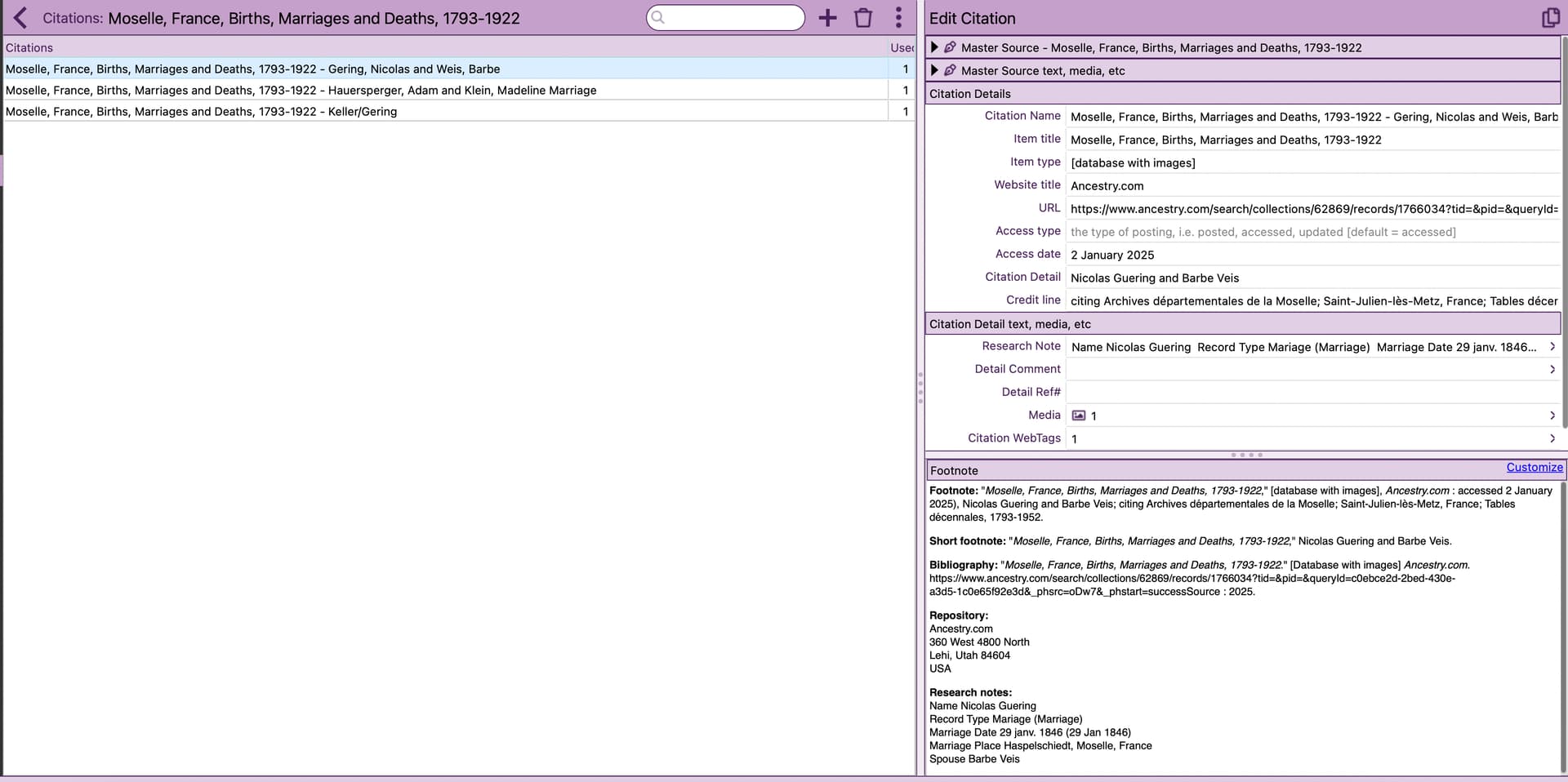
Would it be possible from within Source, when selecting a citation, to be able to copy and paste the entire footnote as seen below in the bottom right corner?
I keep all of my media in DevonThink as well, and add my citations as an annotation. It would be nice to be able to simply copy and paste all that info. The text within that window is currently not selectable, and customize means one section at a time, and doesn’t include the repository.
Until the proposed enhancement is released, would this answer from Google work for you?
To get screen captures with OCR on a Mac, use built-in macOS features by pressing Shift-Command-5 to access the screenshot tool, then select the desired area and use the “Copy Text” function in the screenshot thumbnail that appears to use the built-in OCR, or use third-party apps like TextSniper, Shottr, or CleanShot X which offer dedicated OCR functionalities within their screenshot tools for Mac.
For Windows, use the built-in Snipping Tool (press Win + Shift + S, then select the Text Actions button) or the free, third-party app Capture2Text (press Win + Q), both of which allow you to capture a screen area and extract text using Optical Character Recognition (OCR) and copy it to your clipboard. Other options include PowerToys Text Extractor (Win + Shift + T) and paid tools like Snagit
I do use Cleanshot X, but for the life of me I have not been able to get the OCR capture to work. I set up my shortcut as command shift T, I hear it make it’s little popping noise, but no capture happens.
I can copy and paste the footnote text just fine. The copy process even picks up any basic formatting such as italics. It’s just in a slightly different place than where you are looking.
Hello tinksquared,
I will not answer the question you asked. I just wanted to make a small comment about the accuracy and relevance of the repository concerning Nicolas Gering’s marriage.
You can refer directly to the following ten-year table:
Archives Départementales de Moselle (Ad57)
Tables décennales (env 1792 -1952) : Haspelschiedt (Haspelscheid)
Description :
Document 9NUM78E303 Tables décennales. ( 1792-1952 ) Image: FRAD057_8E303_0083.jpg