When updating TreeShare for Ancestry, Clear everyone from “changed” list does not work. Any suggestions?
1 Like
I just checked in 11.1.3.0 and its clearing for me. The only ones it won’t clear are those without a match on either side.
I deleted the same two people several times, but they keep showing on the TreeShare list to be deleted. Clear everyone does not eliminate them. They are definitely not in my RM 11 (11.1.3.0) database.
When I click on “Show in Ancestry” I get “We’re sorry, this page is temporarily unavailable.” When I search my Ancestry tree for them, I get “No Results Found in Tree.”
How do I get them off the changed list?
might need to open a ticket for that one – to be clear you are online and it does not appear antivirus type software is interfering? or browser popups blocked
Yes, online. Updating the Ancestry tree for other changed people works fine and clears their names from the changed list. I see no indication of interference from antivirus software or popup blockers.
unless someone/another user comes up with another possible – you might need to open a ticket.
As for finding these 2 people on Ancestry–does it list a child, spouse or parents for these 2 people in the tree share screen?-- if so, try going to them in Ancestry and looking to see if those 2 people are listed with the spouse/ parent or child…
Have you ran all the RM database tools? Doubt if it will help BUT worth a try — then close out of RM and after reopening the database try tree sharing again-- if they still show up, I would contact support…
Can you give us a screenshot in TreeShare with that person highlighted.
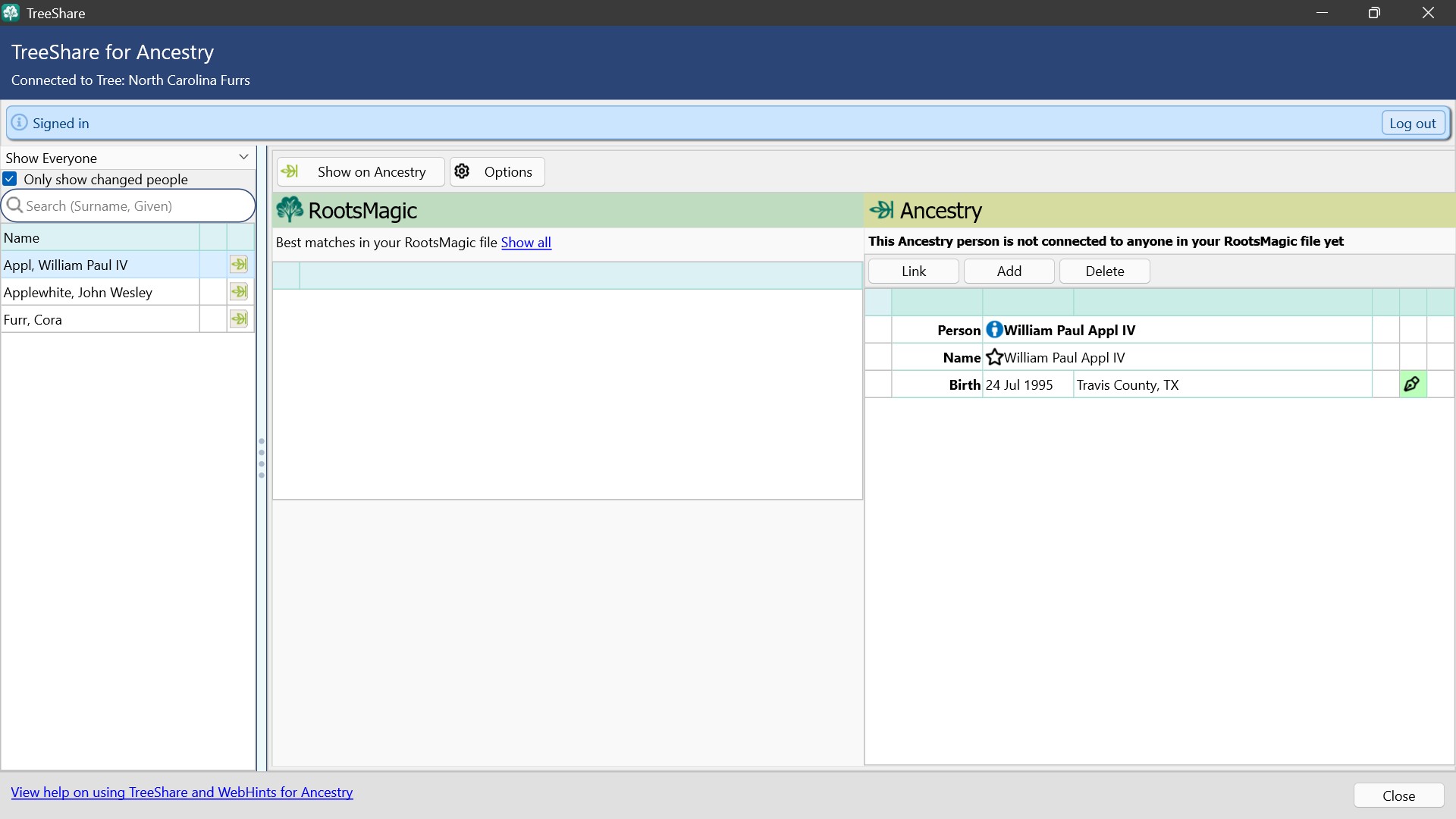
On Ancestry use “Find in Tree” or Lists to search for each person. They are in the tree. Once you are on their profile go to Edit, Delete Person.
While in Ancestry (North Carolina Furrs) , when I use “Find in Tree” and when I use Lists, none of these three people show up.
While in RootsMagic, TreeShare for Ancestry, when I click on Show on Ancestry, I get “We’re sorry, this page is temporarily unavailable.”
I am not sure why, but problem solved.
1 Like