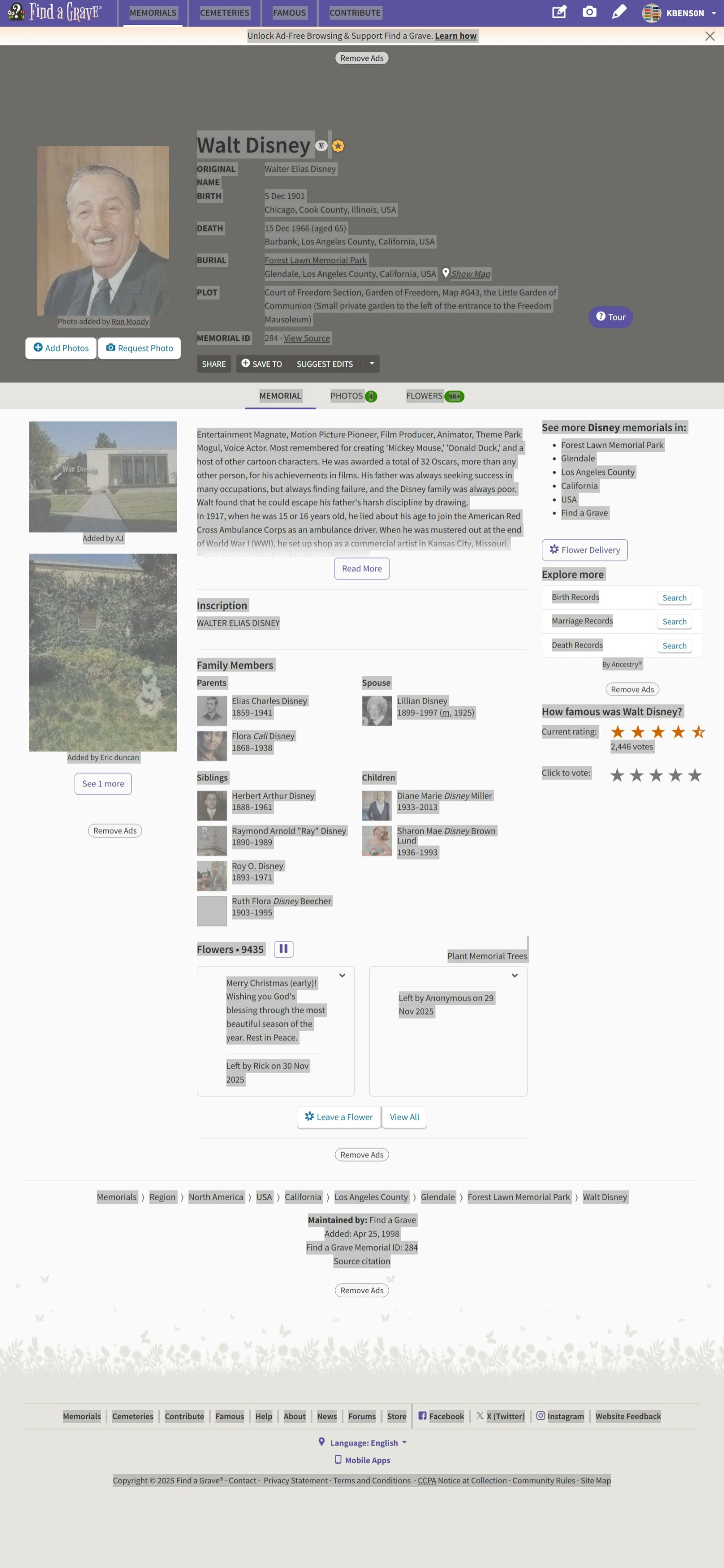
Hi, I just installed RM11 and started updating my database. I am working on improving my source information. I copy text from websites like FindaGrave.com, Familysearch.org, etc and paste into my research notes.
With RM11, when I paste text into the research notes, nothing happens, I’ve waited a few minutes and
paste again, then two copies of the copied text appears;
or
I try to go back a window to where the save icon is located and instead of opening that window I get an error.
“List index out of bounds (-1). TRVDrawLines range is 0.0.
Thanks, I exited RM, reopened, ran db tools, exited and reopened. Then tried to paste text into the Research Notes from FindaGrave and same as before.
I’ve been trying different things, and if I paste as plain text it will paste.
If copy text from familysearch I can now paste as normal (not using the plain text option). But still cannot with findagrave. I will need to paste as plain text to work.
If I try to paste from findagrave just the top portion by the photo (name, birth, death, burial text), it does not paste and will not let me click OK or go back a screen to where I can save without the error I reported. I find that an easy work around is to paste in plain text.
it might be what you have selected.
You might try one of methods have described by others. You could try pasting in Notepad first then copy to RM to remove “junk”/(invisible chars).
@bugged --Are you on a Mac or Windows 32 or 64 bit–dual monitors? Are you pausing Cloud Services if you use one?
Reason I ask is that I have no problems using Paste for the info from Find-a-Grave and I am on Windows 11 64 bit–no dual monitors and no cloud services–I also don’t have to use the checkmark to save the info…
I know that when RM 8 1st came out that the ONLY way you could add info to NOTES was to use PASTE AS TEXT under the 3 dot menu ( on the same line as EDIT NOTE in scan above) BUT that was fixed a long time ago..
That said I went in and tried @kbens0n version of copying and pasting everything on the page-- as a reference, I also tried pasting it in RM 9-- so in RM 9, it worked 1 time all the rest of the times, it either doesn’t show up or doesn’t save it once you hit save and go back…
IN RM11–highlighting exactly what Ken did, the system was very slow to respond–eventually got this:
and it doesn’t matter if I hit close or go back to save it, I get a “List index out of bounds error same as you..
So based on playing with this a little bit, I suggest that when you copy the info to make sure that you do NOT have any picture or advertisement highlighted as I did notice also that IF I just had the top highlighted ( with the picture) that it either did NOT work or wouldn’t save it
Hi, I tried different ways to paste as you suggested. The quickest method I have tried is pasting plain text. Its just a matter of making that a habit because my fingers are quick to do it the old way. Just my second day using RM11.
Yes it does make a different on what I select in findagrave. If I only copy a one date with its place name, I can paste my normal way. But if I copy the following example, it will not paste.
The thing is I always copy and paste the above sample text lines together. I do not past on line at a time. I also I did not have this issue in RM10 or before. I understand that I can get it to work with using the paste as plain text.
I have a windows 11 laptop, 64 bit. No extra monitor, no cloud.
I can do a paste, using the menu or ctrl V in RM10 with no issues. Something must be a little different in the coding in RM11 on how it reacts to the way text is configured that has been copied from websites. I seem to only have the issue with findagrave now. Earlier I was having issues with familysearch copied text but running the database tools apparently fixed that.
I did try waiting for about 5 minutes for the text to paste, never did.
Since playing around with, it looks like I will be pasting as plain text from now on.
Thank you everyone. I appreciate all your ideas and help. You see, I’m addicted to genealogy. I am cleaning up data, sources, and updating records. I work on this everyday. My actions are repetitive and quick. I have over 490,000 names now in my database. I kinda went wild in the early days.
Thanks, I also use FireFox. I tried pasting then pressing enter afterwards and yeah that works. I believe this may not be as much of an adjustment in my repetitive steps.
I tried with MS Edge and the paste result was the same above.
On Find a Grave, there’s a button “Save to” and then you select “copy to clipboard.” Now you have something to paste. This is how I copy from Find a Grave.
I’ve found that pasting into notes fields should not contain special characters, which are often found when copying/pasting directly from web pages. Introducing these characters often will result in RM error messages like you noted.
To get around this by copying from web site, pasting into Notepad (on Windows) or a plain text file in TextEdit (on Mac), doing any needed formatting, then pasting it into the notes field.
If you have a notes field that already has out of bounds characters in it you can open the field, get past the various error screens, cut the entire contents / past into Notepad or TextEdit, then copy/pasting back into the notes field.
For sure, I consider this a bug, but since it’s been around forever so a workaround is better than nothing.