I would like to enter a couple of new info fields on the basic info tab. ie: SSN and if in military, his/her ID number. Is there a way to make this appear for everyone?
1 Like
Using RM 10/11, you might consider using the “Add a fact to everyone in a group” feature under Tools. First, create a new fact type (like SSN or Military ID), and then create a group of people that can be used to add the appropriate fact. There may be other ways, but this approach seems reasonable.
On the Add Person screen you can Customize (lower left) and add any Fact you’d like to enter for people from the get go. (baptism, census, occupation, etc)
1 Like
I’m not sure what you are really after. Even the Birth fact doesn’t appear for everyone, It only appears for a person if you add it for a person.
As others have mentioned, you could add new fact types called SSN and military ID number. You can edit the Add Person screen to add these fact types. But that will still only make an SSN fact or military fact appear if you add them. You could use the tool to add a fact of a given type to everyone in a group. But none of those options are quite the same as making those fact types appear for everybody.
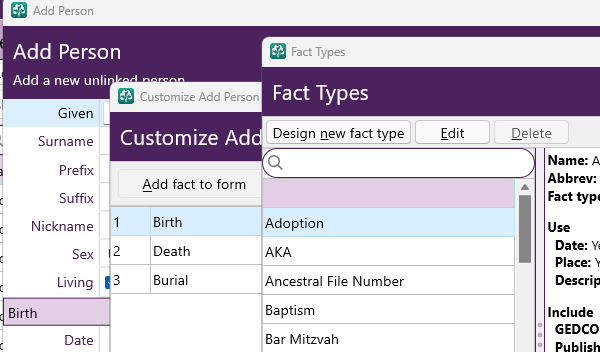
To have that “option” for every individual You enter, there is the Customize button of the basic data entry window for adding which “fact-types” are prompted for filling in the blanks. Like this:

2 Likes
Customizing is really helpful when you add new people to make sure you add the details you want at once.
2 Likes
Tried the above method….appears I have a bigger problem!
The Fact database appears to have included names, notes and addresses, too! Help!!!
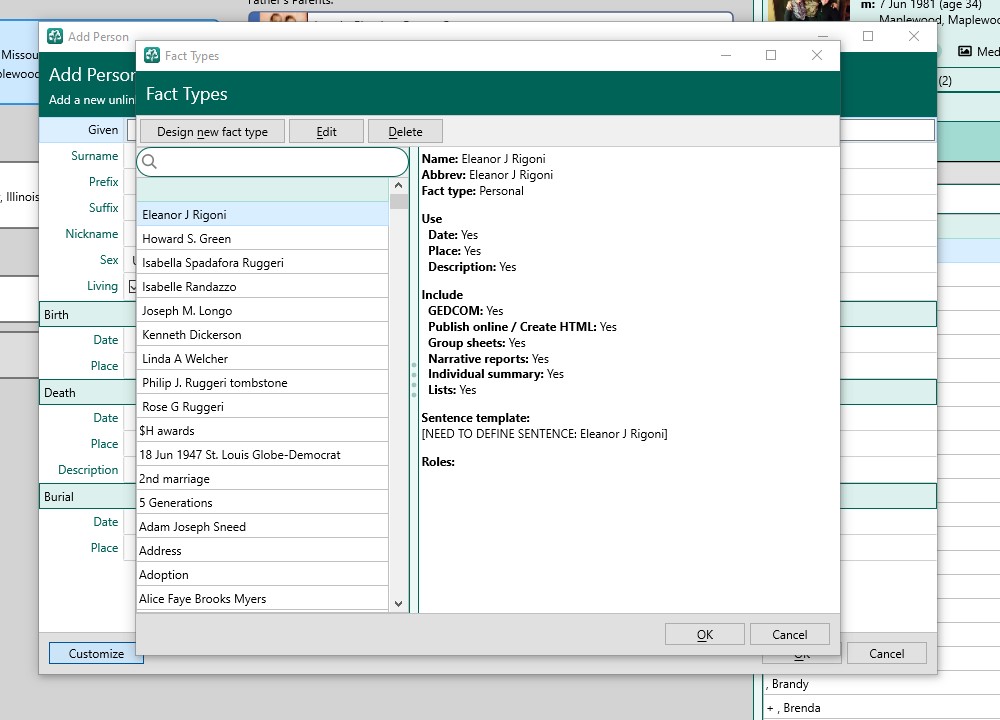
Looks like you have added people as Facts Types- not sure how that happened but you should probably clean those up.
Here is what you should get -
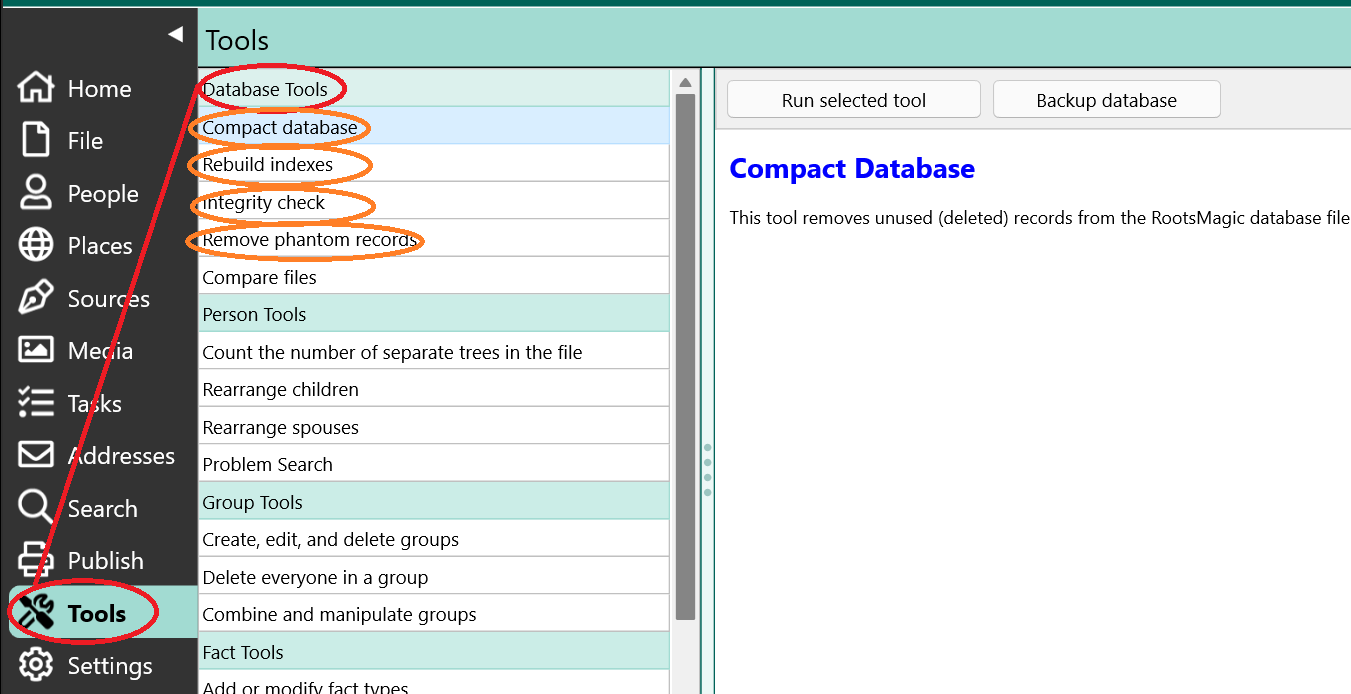
Ran each of the Database tools. No change.
Ran the Add or Modify tool….had to go line by line and delete all of the facts that indicated (Need to define sentence).
Somehow notes, comments and added events on Ancestry got jumbled together when I first downloaded the info.
I’m getting there! Thanks for the help.
1 Like
I recall a similar problem being reported in the past though I believe the erroneous data came from a migration from another genealogy program, not ancestry.
In any event you might want to create a blank database, then open that database, and go through the steps to add a fact . This will show you the standard list of fact types that come with the product so you’ll be able to confirm the non standard fact types that have been added to your main db.
Anothe approach would be to run the Enhanced Properties List (Tools menu) and view the Fact types needing sentence template defined. This would not identify custom fact types that had a sentence defined but may work well for your particular issue.
1 Like
Is there a video of how to setup new facts or create a new database? How to define or enter a sentence template? I have zero experience in this area!
3 Likes
BobC’s suggestion is the place to start if you’ve not already watched RM videos. The program has a lot of features and it will take a very long time to learn about them by trial and error, so the videos are a good investment of your time. In addition to videos, RM’s context sensitive help (F1) is your friend. And, of course, there’s this forum, which also has a search function. Things like sentence templates are more advanced and you might find it easier to focus on the basics and fixing your data quality problems first.
To answer your specific questions:
- You create a new db from the File menu (Create, Empty File).
- Here’s a link to the the online help doc on fact sentences including sentence template language details - Fact sentences
This is a basic Help page on Fact Types and adding one. It’s a good place to start. A link to the sentence emplate language is a hyperlink for writing sentences.