Is there any way, alphabetically, by category, anything at all, to sort master sources?
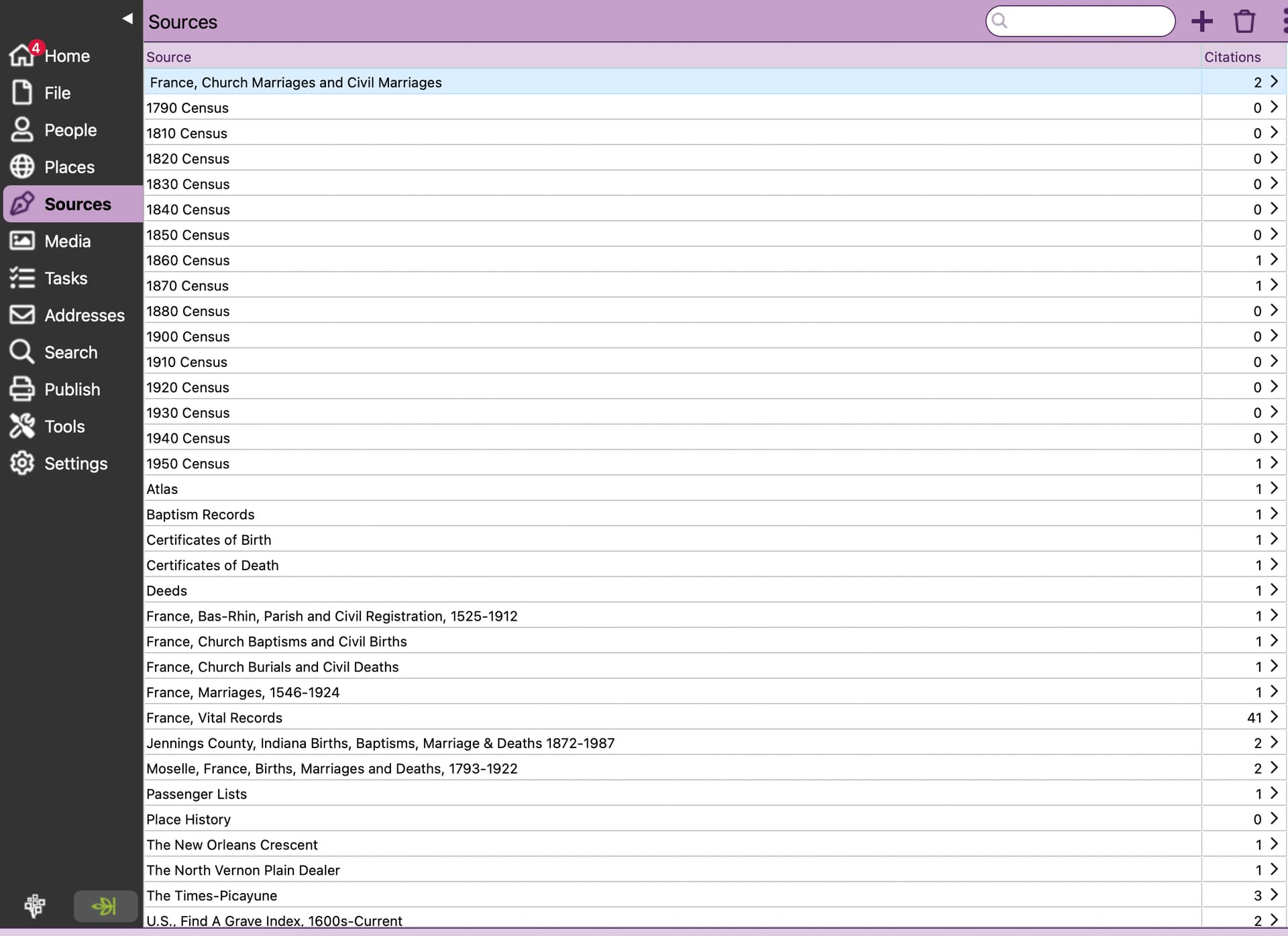
They are sorted ascending by source name. There is no other sorting option.
I frequently filter the list of sources using the search box. Doing so usually allows me to find sources in the list very quickly.
1 Like
Well… they started out that way, but as you can see mine are no longer sorted by name. France is before the censuses… Atlas is somewhere in the middle…
They are sorted by title.
You first Source has a Space before the word France and that is why it is listed First. Remove the Space and it will sort to the “F”
Also if you want them in a different order, rename them ie: 1790 Census, etc could be renamed to Census 1790, etc then they would all be shown under "C’
1 Like
Good catch, I see that now! Thank you!
The app should trim off the leading and trailing blanks on data entry in every field. Enhancement request @rzamor1
2 Likes
I sort mine by using special characters. There are some that I like before the numbers, such as those that I’ve created as custom sources. I put a period before the name, and for a Mac I use the underscore. A Mac does like the period.
2 Likes
RM sorts alphabetic data using a special collating sequence called RMNOCASE. As I understand it, the primary reason is so that letters that are not in the English alphabet such as letters with an umlaut in German or letters such as Æ, Ø, and Å in Norwegian sort the same as the English letters they resemble. But a collating sequence affects all characters including special characters such as a period and an underscore.
RM’s implementation of RMNOCASE is known to be different between Windows and a Mac. I do know know why. I only know that it’s different and that if you move an RM database between Windows and a Mac you have to run the Rebuild indexes tool anytime you move it. It’s wild guess, but I wonder if this is why a period is different when sorted on a Mac within RM.
1 Like